
You built the invoice. Line items and total look right. Now it sits in drafts while you stare at a blank email.
This step stalls more freelancers than it should. Not because it's hard, but because it's rarely spelled out anywhere. The PDF gets polished; the email that carries it gets treated like packaging.
Send the invoice as soon as the work is delivered or the agreed milestone is complete. The longer you wait, the less urgent it feels on the client's end. For detailed timing rules by billing model (project, hourly, milestone, retainer, corporate), see When to Send an Invoice as a Freelancer.
A vague subject line, a rambling body, or the wrong recipient can delay payment even when the numbers on the invoice are correct. Here's how to send it so it lands in the right inbox, gets opened, and moves toward paid.
Who Should Receive Your Invoice Email
Figure out the recipient before you write a word.
For solo clients and small shops, that's usually your main contact. They know the work and they handle payment.
For larger companies, the person who hired you is often not the person who pays. You want billing, accounts payable, or finance.
Ask during onboarding or before the first invoice:
"Who should I send invoices to, and is there a specific email or reference number your team needs?"
If you skip this, the invoice can sit with a project manager until it reaches someone who can actually authorize payment. Capturing the billing contact is one of several details worth locking down early. For the full list, see Freelance Client Onboarding Checklist.
If the client has a formal AP department, vendor portals, or purchase order requirements, the process has extra steps. See How to Invoice Corporate Clients for the full playbook.
When to CC the Project Contact
If you send straight to accounts payable, CC your project contact. They can confirm delivery and nudge if payment stalls. One CC keeps them in the loop without asking them to forward anything.
Avoid CCing a crowd. AP teams rarely want a long thread about a single invoice.
Invoice Email Subject Lines That Get Opened
Your subject line should make one thing clear: this message contains an invoice and it needs attention.
Patterns that work:
- Invoice #1042 from [Your Name], due [Date]
- Invoice for [Project Name]: [Amount] due [Date]
- [Your Business Name] Invoice #1042, Net 15 (Net 15 means payment is due 15 days after the invoice date. For a full breakdown, see Invoice Payment Terms Explained.)
Patterns that underperform:
- Payment (too vague, can look like spam)
- Please find attached (no usable detail)
- Invoice (no context)
- Quick question about billing (misleading)
Include the invoice number, your name or business name, and the due date. That's enough for someone to prioritize, file, or forward without opening the body.
If they use purchase orders, add the PO number:
Invoice #1042, PO #7891, due May 15, 2026
That detail helps AP match the invoice faster, especially at organizations that route by PO.
What to Write in an Invoice Email
Keep it short. The invoice holds the detail. The email introduces it.
A solid invoice email usually has four parts:
- Greeting that matches how you already talk to them
- What the invoice covers (one sentence)
- Key numbers (amount, due date, invoice number)
- How to pay (link, bank details, or a pointer to the attachment)
Example:
Hi Sarah,
Attached is Invoice #1042 for the homepage redesign. Total is $3,200, due May 15, 2026.
You can pay via the link on the invoice or by bank transfer using the details included.
Let me know if you need anything.
Best, [Your Name]
Skip the project recap, the apology for billing, and stiff legalese. If your contract requires you to reference the original agreement, keep it to one line.
Milestone or Retainer Wording
For a milestone, name the phase:
"This is Invoice #1042 for Milestone 2 of 3 (wireframes and user flows), per our agreement dated March 1."
For a retainer, name the period:
"Attached is your April 2026 retainer invoice for ongoing content support."
Specific anchors cut back-and-forth with accounting teams.
Simple Invoice Email Template
If you want something you can copy, adapt, and reuse:
Subject: Invoice #[Number] from [Your Name], due [Date]
Hi [Client Name],
Attached is Invoice #[Number] for [project or service]. The total is [amount], due [date].
You can pay via [payment link / bank transfer / details on the invoice].
Let me know if you have any questions.
Best, [Your Name]
Swap the bracketed fields for your details. If the client uses purchase orders, add the PO number to the subject line. If you're billing a milestone, reference the phase number and deliverable in the first sentence.
That covers the vast majority of invoice emails. Keep it this short and you won't need to rewrite it every time.
Send invoices with a payment link built in.
BillerBear generates clean PDF invoices with payment instructions and tracks status from sent to paid.
Create a free invoice →PDF Attachment vs. Payment Link
Many clients expect a PDF. That's fine. If you can, add a payment link in the body too.
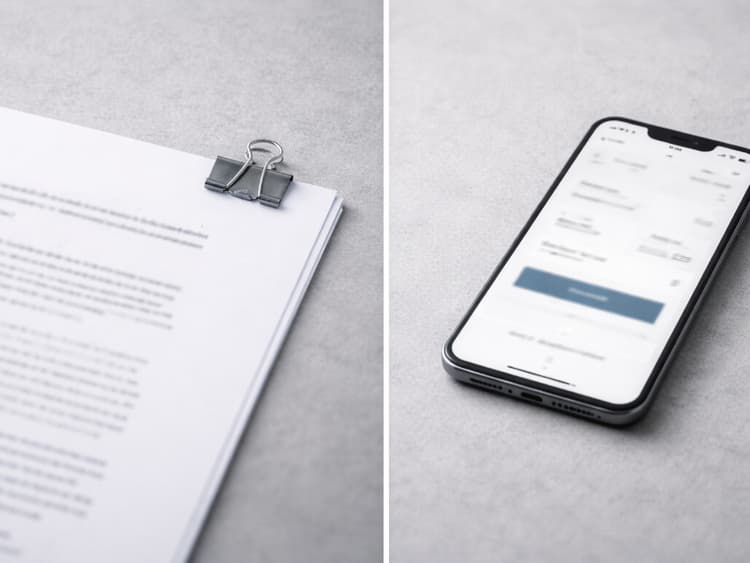
A link shortens the path from reading to paying. They click instead of opening the PDF, hunting for bank details, and entering everything into a separate app.
If your invoicing tool creates payment links, put the link in the body and attach the PDF as the formal copy:
"You can pay here: [payment link]. A PDF is attached for your records."
If you only send a PDF, make sure the payment instructions on the invoice are complete. The client should not need to email you to learn how to pay.
For setup before you send, see How to Create a Professional Invoice. For choosing which payment methods to list and how fees compare, see Freelancer Payment Methods.
Pre-Send Checklist
Before you hit send:
- Recipient: billing contact, not only your day-to-day contact
- Invoice number: correct and consistent with your numbering system
- Amount: matches the agreement
- Due date: realistic and aligned with your terms
- Payment instructions: clear without a follow-up email from you
- Attachment: PDF is actually attached
- Subject line: includes invoice number and due date
- PO or reference number: included if they gave you one
That quick pass catches the most common reasons invoices get delayed or bounced back.
If your invoice includes reimbursable expenses (stock photos, subcontractors, domains you bought on the client's behalf), some AP teams will want receipts attached alongside the PDF. See How to Invoice Reimbursable Expenses for what to attach and what to keep on file.
For numbering consistency, see Invoice Numbering Best Practices. For payment terms, see Invoice Payment Terms Explained.
Common Mistakes
Wrong recipient. The person who approved the project is not always the person who processes payment. Confirm the billing contact during onboarding.
Long email. If the client can't scan it quickly, split updates and questions into another thread.
Weak subject line. Subjects like "Hi" or blank lines get ignored or filtered. Be explicit.
Missing attachment. Common, and it costs you a round trip.
No payment instructions. If the client has to ask how to pay, you've added at least one extra email exchange before they can act.
Personal email when you have a business domain. Invoices from yourname@gmail.com can look less credible than you@yourbusiness.com, especially at companies with stricter mail policies.
After You Send
- Log it. Note the send date, recipient, and due date. Good invoicing software tracks this for you.
- Don't chase immediately. Give the client time to process within the agreed terms.
- Set a reminder for follow-up if payment hasn't arrived by the due date.
- Spot an error? Don't edit the original PDF. See How to Correct an Invoice After Sending It for the right way to void, reissue, or issue a credit note.
For a step-by-step follow-up timeline, see When to Follow Up on an Invoice.
For wording when it's time to nudge, see How to Politely Ask for Payment.
If you're sending the last invoice in a project, Freelance Project Closeout Checklist covers the acceptance, handoff, and archive steps around that send.
To set up automated reminders so follow-up happens without you, see Automated Invoice Payment Reminders for Freelancers.
Why the Email Matters
A good invoice can still stall if the email is vague, crowded, or pointed at the wrong inbox. Clear subject, right recipient, short body, easy payment path. Get those four things right, and the invoice does the rest.
Ready to create clearer invoices?
Create up to 3 invoices per month free. No credit card required.
BillerBear Editorial
Continue reading
Invoice Line Item Descriptions: Examples and a Copyable Formula
Use a practical invoice line-item formula, before-and-after examples by service type, and wording that matches the scope your client approved.
What Business Name Goes on a Freelance Invoice? LLC, DBA, and Legal Name Explained
Not sure whether to invoice under your legal name, LLC, or DBA? Learn what belongs in your invoice header, how it should connect to your W-9, and how to prevent vendor setup and AP delays.
When to Send an Invoice as a Freelancer: Timing Rules by Project Type
Learn when freelancers should send project, hourly, milestone, retainer, and corporate invoices, and avoid delays before payment terms even begin.