
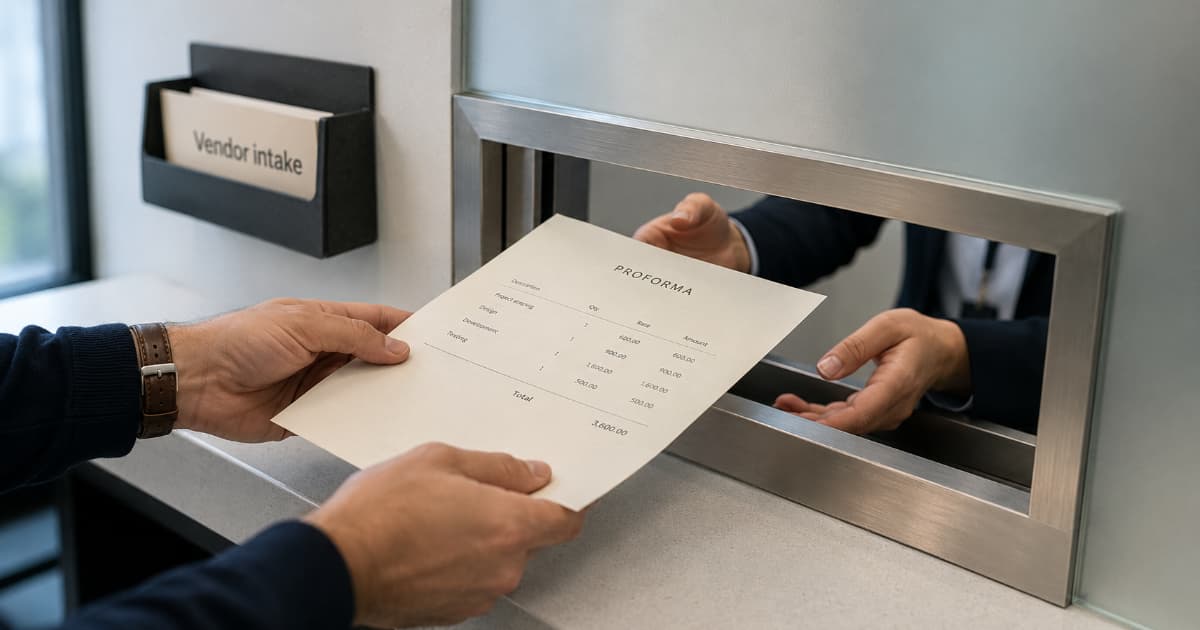
A corporate client's finance team emails you: "Before we can issue a PO, we need a proforma invoice."
You've sent plenty of quotes and plenty of invoices. A proforma sounds like it could be either one. You're not sure what to send, how to label it, or whether the numbers on it lock you in.
A proforma invoice looks like a real bill but isn't a request for payment. Clients use it for budget approval, PO issuance, or vendor setup before work is finished. Most freelancers only need one when corporate finance or international procurement gets involved.
What Is a Proforma Invoice?
A proforma invoice outlines expected charges for work that isn't done yet, sometimes before work starts. Same layout as a real invoice: line items, totals, your business details, the client's details. No payment obligation attached.
"Proforma" comes from Latin, roughly "for the sake of form." The document looks like an invoice because the recipient's process needs that format, not because you're asking to be paid.
Clients use it to confirm budget, route finance approvals, or (in some international trade contexts) support pre-shipment estimates. Once the work is done and the proforma is approved, you send a real invoice that replaces it.
Proforma Invoice vs. Quote vs. Invoice
These three documents sit at different stages of the same deal:
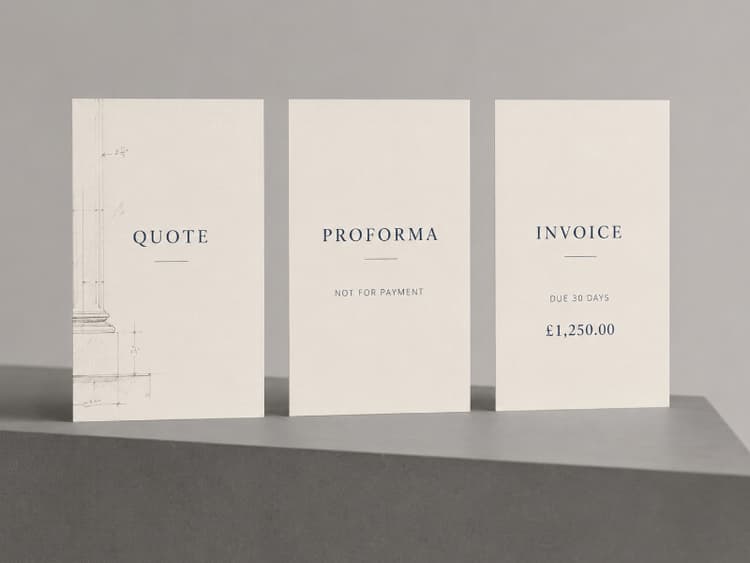
Quote (or estimate): Your offer. Scope, pricing, and terms you're proposing before the client commits. Quotes are negotiation documents. For the full breakdown, see Freelance Quote vs Invoice: When to Send Each.
Proforma invoice: A preview of the final bill, sent after scope is agreed but before work is complete. The client uses it for budget approval, PO issuance, or internal routing. Not a payment request, but more formal than a quote.
Invoice: The real bill. Sent after delivery or at agreed milestones. This is what triggers payment and counts as a financial record.
The confusion usually comes from proformas and quotes overlapping. In many freelance relationships, a quote does everything a proforma would. The difference matters when the client's finance team specifically needs an invoice-formatted document to release a PO or approve a budget line.
For how invoices, receipts, and purchase orders fit together, see Invoice vs. Receipt vs. Purchase Order.
When Freelancers Actually Need a Proforma
Most projects don't require one. Quote, then invoice, and you're done. Proformas show up in three situations:
1. Corporate budget approval. Large companies often can't issue a purchase order until finance has reviewed an invoice-shaped document. Your quote might not pass through their AP system; a proforma formatted like an invoice will. If you're navigating corporate workflows for the first time, see How to Invoice Corporate Clients.
2. Vendor onboarding. Some procurement teams request a proforma during vendor setup to validate pricing before work begins. It locks the expected total into their system so the real invoice matches when it arrives.
3. Pre-payment or deposit requests. When a client agrees to pay a deposit before work starts, a proforma can preview the full project cost while you invoice separately for the deposit amount. For why deposits matter, see Upfront Deposits: Why Freelancers Should Never Work for $0 Down.
If none of these apply, skip it. Send a quote to agree on scope and a real invoice when payment is due.
What to Include on a Proforma Invoice
A proforma mirrors a standard invoice with a few important differences.
Include:
- A clear label: PROFORMA INVOICE at the top
- Your business name and contact details
- The client's name and billing address
- A proforma number in a separate series from real invoices (e.g., PF-001, not INV-001). For numbering guidance, see Invoice Numbering Best Practices.
- Date issued
- A validity period (e.g., "Valid for 30 days"). Pricing can change; proformas often expire for that reason.
- Itemized line items with descriptions, quantities, and rates
- Subtotal, tax if applicable, and total
- Payment terms you'll use on the real invoice
- A note that this is not a payment request (e.g., "This proforma invoice is for approval purposes only and is not a demand for payment.")
Do not include:
- A due date (proformas aren't payable)
- Payment instructions (save those for the actual invoice)
- Your standard invoice number series (proformas should never be confused with issued invoices in your records)
What to Send When a Client Asks for a Proforma Invoice
You got the email. Here's what to do today.
Quick checklist:
- Create a new document labeled PROFORMA INVOICE at the top
- Use a separate number series (PF-001, not INV-001)
- List the agreed line items, quantities, rates, subtotal, and total
- Add a validity period if pricing may change (e.g., "Valid for 30 days")
- Include a note: "This proforma invoice is for approval purposes only. This is not a request for payment."
- Do not add a due date or payment instructions
- Export as PDF and send
Proforma note to include on the document:
"This proforma invoice is provided for budget approval and purchase order processing only. It is not a request for payment. A final invoice will be issued after delivery or at the agreed milestone."
Email subject line:
Proforma invoice for PO approval — [Project Name]
Sample email body:
Hi [Name],
Attached is the proforma invoice for [project/description]. This covers the agreed scope at the rates we discussed.
Once your team has approved the budget and issued a PO, I'll begin work and send a final invoice at [delivery/milestone]. Let me know if you need anything adjusted before approval.
Best, [Your Name]
After the Proforma: What Happens Next
1. Client approves the proforma. Finance confirms the budget, issues a PO, or signs off internally.
2. You complete the work (or reach the agreed milestone).
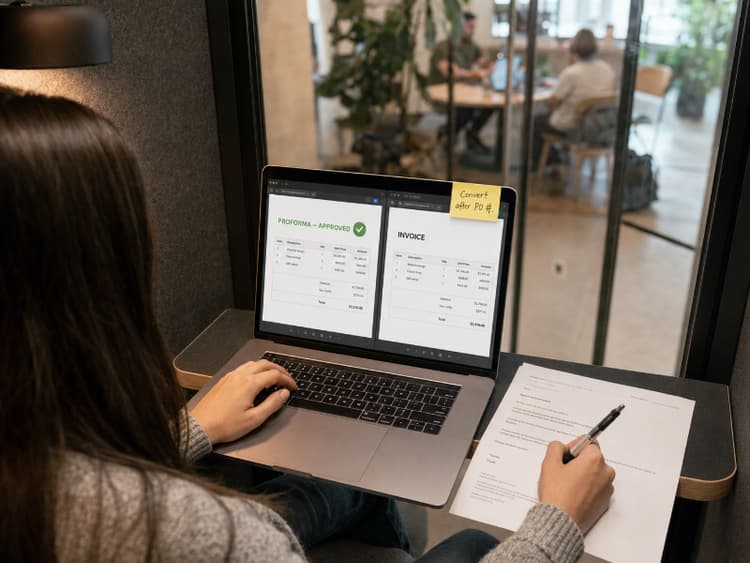
3. You send a real invoice. Reference the proforma number and the PO number if one was issued. Line items should match what was approved unless scope changed during the project.
4. If scope changed, say so before invoicing. A surprise total after an approved proforma creates the same problems as a surprise total after a quote. Explain the difference before you send the final bill. For handling scope changes, see Scope Creep: How to Bill for "Just One Small Change".
For the full anatomy of a professional invoice, see How to Create a Professional Invoice.
Common Proforma Mistakes
Labeling it as a regular invoice. If the document doesn't clearly say "PROFORMA," AP may process it as a real invoice. That means duplicate payment risk, accounting confusion, and an awkward correction call.
Using your real invoice number series. Proformas need their own prefix (PF-, PRO-, or similar). Mixing them into your INV- series can confuse bookkeeping and audit trails.
Treating it as a binding contract. On its own, a proforma usually does not replace a signed contract or approved quote. If the client formally accepts it or attaches it to a PO or agreement, treat it as part of the project paper trail. If costs change before you invoice, update the client and issue a revised proforma or a new quote.
Sending a proforma when a quote would do. Solo clients and small businesses that just want a price don't need invoice-shaped paperwork. Reserve proformas for when the client's process specifically requires one.
Do You Need Special Software for Proformas?
Not necessarily. Any tool that lets you create an invoice-style PDF with the right label works. A spreadsheet, a Word doc, or a dedicated invoicing app can all produce a proforma.
The advantage of using your invoicing tool is consistency. When the proforma is approved and work is done, BillerBear lets you convert the proforma directly into a final invoice with the same line items, export the PDF, and track payment without rebuilding the bill from scratch. Create your first invoice free →
Frequently Asked Questions
Is a proforma invoice legally binding? Generally, no. It's an informational document, not a contract or a demand for payment. It doesn't create a legal obligation to pay. Treatment can vary by jurisdiction and context, especially in international trade. For high-value work, put obligations in a contract, not a proforma.
Can a client pay from a proforma invoice? They shouldn't. It isn't designed as a payment request and usually won't include payment instructions. If someone tries to pay against a proforma, issue a real invoice first so the transaction is properly recorded.
Do I need to keep proforma invoices in my accounting records? Proformas usually should not be recorded as revenue or treated like issued invoices, because they are not final payment requests. Keep copies for reference, especially if a dispute comes up about what was originally agreed. Ask your accountant if your jurisdiction or client workflow treats them differently.
When should I send a quote instead of a proforma? While scope or price is still open, send a quote. Send a proforma once the deal is agreed and the client's process needs an invoice-shaped document for internal approval.
Ready to create clearer invoices?
Create up to 3 invoices per month free. No credit card required.
BillerBear Editorial
Continue reading
Invoice Line Item Descriptions: Examples and a Copyable Formula
Use a practical invoice line-item formula, before-and-after examples by service type, and wording that matches the scope your client approved.
What Business Name Goes on a Freelance Invoice? LLC, DBA, and Legal Name Explained
Not sure whether to invoice under your legal name, LLC, or DBA? Learn what belongs in your invoice header, how it should connect to your W-9, and how to prevent vendor setup and AP delays.
When to Send an Invoice as a Freelancer: Timing Rules by Project Type
Learn when freelancers should send project, hourly, milestone, retainer, and corporate invoices, and avoid delays before payment terms even begin.