

You finished the project. Now you're staring at a blank invoice: do you list 14.5 hours of work, or just the deliverables?
That depends on how you bill. If you're still choosing between hourly and flat rate, how each model shows up on the invoice is a useful way to pressure-test the decision.
The short version: use hourly billing when the scope is uncertain, and flat rate when the deliverable is clearly defined. On the invoice, hourly work should be grouped by task with time and rate, while flat-rate work should be grouped by deliverable or milestone. The rest of this post breaks down when each model fits, how to format line items, and the mistakes that cause disputes.
When Hourly Billing Makes Sense
Hourly works when the scope isn't locked down.
Advisory work, ongoing maintenance, early-stage projects where the client keeps changing direction. In those cases, tracking time and billing for it is the cleanest structure.
The tradeoff: as you get faster, you earn less per project unless you raise your rate. Hourly tends to fit when:
- The project scope is undefined or likely to shift
- The work is hard to scope upfront (debugging, research, strategy sessions)
- You're working with a new client and don't yet know how they operate
- The engagement is ongoing with no fixed end date
If you haven't set your hourly rate yet, start with How to Set Freelance Rates for the First Time.
When Flat Rate (Project-Based) Billing Makes Sense
Flat rate pricing works when you know the deliverable and can estimate the effort.
You quote one price, deliver the agreed scope, and bill for the outcome instead of the hours. If you're efficient, you earn more per hour than your quoted rate. If you underestimate the work, you absorb the gap.
Flat rate tends to work better when:
- The deliverable is clearly defined (a logo, a landing page, a set of blog posts)
- You've done similar projects before and can estimate accurately
- The client values predictable pricing over hour-level transparency
- You want to decouple your income from your time
For projects with natural phases, consider splitting the flat fee into milestones. See Milestone Billing for Freelancers.
Quick Comparison
| Category | Hourly | Flat Rate |
|---|---|---|
| Best for | Undefined scope, ongoing work | Defined deliverables, repeatable projects |
| Client sees | Hours and tasks | Deliverables and phases |
| Risk | Client (pays for time) | Freelancer (absorbs overruns) |
| Efficiency | Low (faster = less pay) | High (faster = higher effective rate) |
| Invoice detail | Task-level time entries | Deliverable-based line items |
| Scope creep | Often lower (bill the hours) | Often higher (need change orders) |
| Choose when | You need flexibility or scope is moving | You can define the outcome clearly |

How to Itemize an Hourly Invoice
Group by task or phase, not by individual time entries. A line like "Backend development: database migration and API updates, 6.5 hrs @ $120/hr" is more useful than twelve separate 30-minute entries. Of course, grouping only works if you tracked time accurately during the project. For a simple logging system that feeds clean line items, see How to Track Billable Hours as a Freelancer.
Good line items:
Backend development (Oct 7–12): Database migration fix, API endpoint updates — 6.5 hrs @ $120/hr — $780
Client calls and revision coordination (Oct 7–12) — 1.5 hrs @ $120/hr — $180
What to avoid:
- Listing every 10-minute email or Slack exchange as a separate line
- Vague descriptions like "Work performed" or "Development"
- Time spent on internal admin that wasn't part of the client engagement
If descriptions are so granular the invoice runs three pages, you're over-itemizing. Clients don't want a surveillance log. They want enough detail to verify the bill makes sense.
Format line items for any billing model.
BillerBear supports hourly (hours × rate) and flat-rate (fixed amount) line items with automatic totals and clean PDFs.
Create a free invoice →How to Itemize a Flat Rate Invoice
List deliverables, not hours.
On a fixed-price invoice, the line items should reflect what the client is getting, not how long it took.
Do not show hours on a flat-rate invoice. Including hours creates problems either way. Finish fast and the client may feel overcharged. Run over and you've documented that you underestimated. Either way, you've shifted the conversation from the deliverable to your time, which is exactly what flat-rate billing is supposed to avoid.
Here's what the difference looks like in practice:
Weak flat-rate line item:
Website project — $5,000
Better:
Landing Page Design & Build — $5,000 Includes: responsive page design, front-end development, contact form setup, and one revision round
The first version tells the client nothing about what they're paying for. The second connects the price to specific outcomes.
Good line items:
Phase 1: Brand Identity Design — $2,500 Deliverables: Primary logo, secondary mark, color palette, typography guide
Phase 2: Brand Guidelines Document — $1,500 Deliverables: 12-page brand guidelines PDF, usage examples
What to avoid:
- Showing hours worked on a fixed-price invoice
- A single vague line like "Website design — $5,000" with no breakdown
- Mixing hourly and flat rate items on the same invoice without clear labels
If scope changes mid-stream, invoice those separately. See How to Bill for Scope Creep.
The easiest way to keep this clean is to choose the right line-item format before sending: hours and rates for hourly work, fixed amounts and deliverable descriptions for flat-rate work. BillerBear's flexible line items handle both, so the format matches the billing model. For standardized offers you sell repeatedly, see Productized Services for Freelancers.
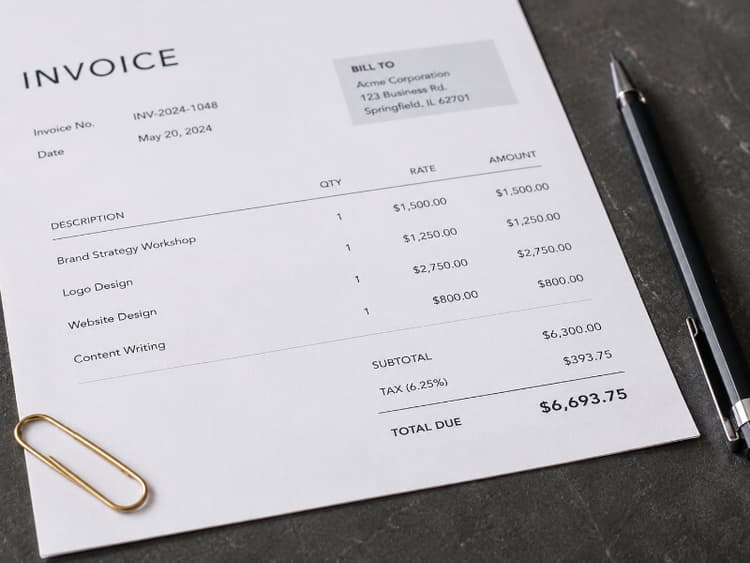
Hybrid Approaches
Many freelancers mix models depending on the project. Two common patterns:
Base flat fee + hourly overages. Quote a fixed price for the defined scope, then bill hourly for anything beyond it. That only works with clear scope documentation — such as a freelance statement of work — and a written clause covering how overages are handled.
Retainer with a monthly cap. The client pays a flat monthly fee for a set number of hours. Hours beyond the cap bill at your hourly rate. For structuring these arrangements, see Freelance Retainer Agreements.
Both hybrids need clear invoice formatting: separate sections or line items for the base fee and any additional charges, so the client can see where fixed scope ends and additional billing begins.
Can You Use Both Hourly and Flat Rate on One Invoice?
Yes, but separate them clearly.
List the fixed project fee first, then list hourly change requests or overages in a distinct section below. Label each so the client can immediately see what was agreed upfront versus what was added later.
Example:
Website Redesign (agreed scope) — $4,000
Additional requests (hourly): Custom animation for hero section — 3 hrs @ $150/hr — $450
Without that separation, the client sees one confusing total and you get a "what is this?" email.
Common Invoicing Mistakes by Billing Model
Hourly mistakes:
- Descriptions so vague the client can't verify the work ("Research, 4 hrs")
- Time entries rounded to suspicious perfection (every task exactly 1.0 hour)
- Forgetting to include the rate alongside hours
Flat rate mistakes:
- Listing hours on a project-priced invoice
- One-line invoices with no deliverable breakdown
- Absorbing scope creep instead of issuing a change order
For more on what makes invoices fail, see 5 Invoicing Mistakes That Are Costing You Money.
Match the Invoice to the Model
Hourly clients expect time-level detail. Flat rate clients expect deliverable-level clarity. Put the wrong format on the wrong model and you'll get questions, not faster payment.
Pick the model that fits the project. Format the invoice to match.
For the full anatomy of a professional invoice, see How to Create a Professional Invoice.
Ready to create clearer invoices?
Create up to 3 invoices per month free. No credit card required.
BillerBear Editorial
Continue reading
Client Asks for a Discount? How to Respond at Every Stage of the Project
When a client asks for a discount, your answer should depend on when they ask. Here's how to respond before the quote, after it, mid-project, or after the invoice, with scripts and trades that protect your rate.
Productized Services for Freelancers: How to Price Packages and Invoice Them Clearly
Turn repeat freelance work into fixed packages with clear scope, tiered pricing, and invoices that match what clients bought.
How to Track Billable Hours as a Freelancer (Before You Invoice)
Stop billing from memory. Learn how to track billable hours during the work, sort billable vs. non-billable time, and turn your log into clean invoice line items.