
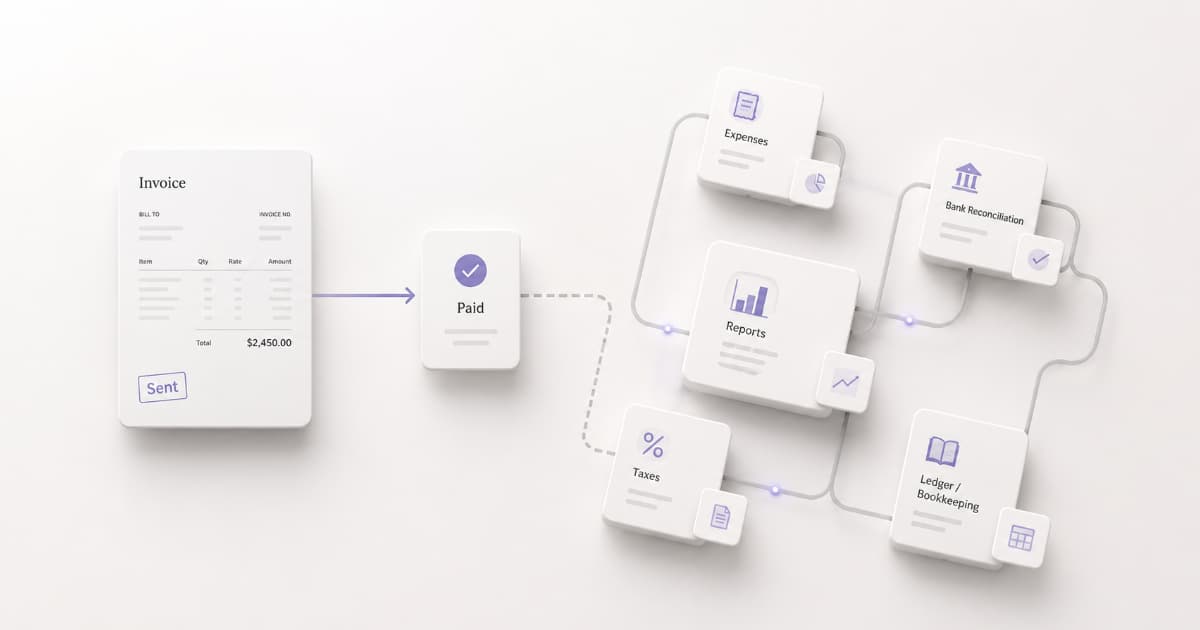
You picked an invoicing tool. Invoices go out, payments come in. Then tax season hits, and your accountant asks for a profit-and-loss statement. Or you start logging expenses and realize your invoicing app has nowhere to put them.
Do you need accounting software too?
For many freelancers, not yet. For some, yes, and you probably should have switched months ago. The answer depends on what your work actually demands, not what software marketing says you should buy.
Short answer:
- Use invoicing software if you need to send invoices, track payments, and keep billing simple.
- Add accounting software when expenses, bank reconciliation, contractor payments, reporting, or business structure make manual tracking unreliable.
What Invoicing Software Does
Invoicing software primarily handles the billing cycle: creating invoices, sending them, and tracking payment.
A solid invoicing tool lets you:
- Create and send professional invoices (PDF, email, payment link)
- Track status: draft, sent, overdue, paid
- Store client details and reuse them across projects
- Set payment terms and due dates
- Send payment reminders automatically
- Run recurring invoices for retainer or subscription work
- Number invoices sequentially without manual tracking
That's the billing cycle from "create the invoice" to "money is in." If your workflow starts and ends in that range, invoicing software covers it.
For a deeper look at that workflow, see How to Create a Professional Invoice.
What Accounting Software Adds
Accounting software goes beyond invoicing. It tracks the full financial picture, not just what clients owe you.
Beyond invoicing, accounting tools typically handle:
- Expense tracking and categorization. Every business expense logged against a chart of accounts, not a shoebox of receipts.
- Bank feed connections. Transactions imported from your bank and matched to invoices or expenses.
- Financial statements. Profit and loss, balance sheet, cash flow, generated from your data.
- Tax-oriented reporting and exports. Deduction categories, income summaries, and exports your accountant or tax software can use directly.
- Double-entry bookkeeping. Every transaction generates debits and credits that must balance, keeping your books accurate by design.
Products like QuickBooks Online, Wave, FreshBooks, and Xero combine invoicing with some or all of these accounting features, depending on the product and plan. The invoicing works, but it's one module in a larger system.
Side-by-Side: What Each Category Covers
| Capability | Focused invoicing software | Full accounting software |
|---|---|---|
| Create and send invoices | ✅ | ✅ |
| Payment status tracking | ✅ | ✅ |
| Payment reminders | ✅ | Varies by plan |
| Recurring invoices | ✅ | Usually |
| Client management | ✅ | ✅ |
| Expense tracking | ❌ | ✅ |
| Bank feed reconciliation | ❌ | ✅ |
| Profit & loss reports | ❌ | ✅ |
| Tax-category exports | ❌ | ✅ |
| Double-entry ledger | ❌ | ✅ |
| Complexity | Lower | Higher |
| Free-plan pattern | Common; often invoice or feature caps | Varies widely by product |
Features vary by product and plan. This table compares focused invoicing tools with full accounting software, not every product in either category.
Accounting software does more. It also asks more: setup time, categories to maintain, extra screens between you and a sent invoice.
Stay With Invoicing Software If…
The tax examples below use common U.S. freelancer scenarios. Tax and recordkeeping rules vary by country and business structure.
Focused invoicing tools are enough when all of this is true:
- Your income comes from invoiced client work, not product sales or complex revenue streams
- You only have a handful of recurring monthly business expenses to track
- You file taxes on a cash basis (income counts when you receive it, not when you invoice it)
- Your accountant handles year-end books from your invoice records, expense tracker, bank statements, and supporting documents
- You don't need to reconcile bank transactions against a ledger in real time
- You can answer "how much client revenue did I collect this quarter?" by filtering your paid invoices by date
If you're a solo freelancer billing a manageable number of clients each month on straightforward project or retainer work, invoicing software handles the billing side. Pair it with a simple expense spreadsheet and a good accountant, and that can be enough to keep a simple freelance business organized for tax time.
For the tax-prep side of that setup, see The Freelancer Tax Prep Checklist.
Upgrade to Accounting Software When…
These triggers usually mean invoicing alone isn't enough anymore:
Your expenses are getting complex. As transaction volume grows, manual tracking becomes easier to miss or delay. Accounting software with bank feeds reduces data entry and helps surface transactions that still need to be categorized.
You're paying contractors. Tracking payments to contractors and tying those costs to project income adds bookkeeping work that focused invoicing tools may not cover.
Your accountant asks for a P&L. When your CPA needs profit-and-loss statements, balance sheets, or clean categorized data, accounting software generates them. Building those by hand from invoice records and bank statements gets painful fast as volume grows.
Your business structure is getting more complex. A single-member LLC taxed as a sole proprietorship may still have relatively simple federal income-tax reporting, while an S corporation has additional entity-level filing and recordkeeping obligations, including Form 1120-S, Schedule K-1, and potentially payroll filings for shareholder-employees. As your structure becomes more complex, keeping complete books becomes more valuable. Regardless of entity type, keeping business and personal bank accounts separate makes recordkeeping cleaner.
Quarterly estimated taxes feel like guesswork. If every estimated-tax deadline means digging through invoices and bank statements to estimate income, accounting software with running totals simplifies the inputs. The actual tax math still depends on deductions, rates, and safe-harbor rules. For the quarterly workflow itself, see Quarterly Estimated Taxes for Freelancers.
Personal and business finances are mixing. If personal and business transactions live in the same account, separate accounts should come first. Accounting software can then make those business transactions easier to import, categorize, and reconcile.

A Practical Hybrid Stack for Freelancers
A common setup looks like this:
Invoicing tool for creating, sending, and tracking invoices. Client-facing layer: professional PDFs, payment reminders, status tracking, recurring billing.
Spreadsheet or simple tracker for expenses. A Google Sheet with date, vendor, amount, and category can be enough for a simple solo business while transaction volume stays manageable.
Accountant at tax time. Hand them invoice records, your expense tracker, and bank statements. Depending on the engagement, they can reconcile the records, prepare the return, and flag gaps that need attention.
Each layer stays simple. You're not paying for accounting features you don't use, and you're not forcing an invoicing tool to do bookkeeping it wasn't built for.
When the expense spreadsheet gets unwieldy or your accountant starts charging extra for manual reconciliation, accounting software replaces the spreadsheet layer. Your invoicing tool stays.
For the AR tracking side of this stack, see Accounts Receivable for Freelancers.
What BillerBear Covers (and What It Doesn't)
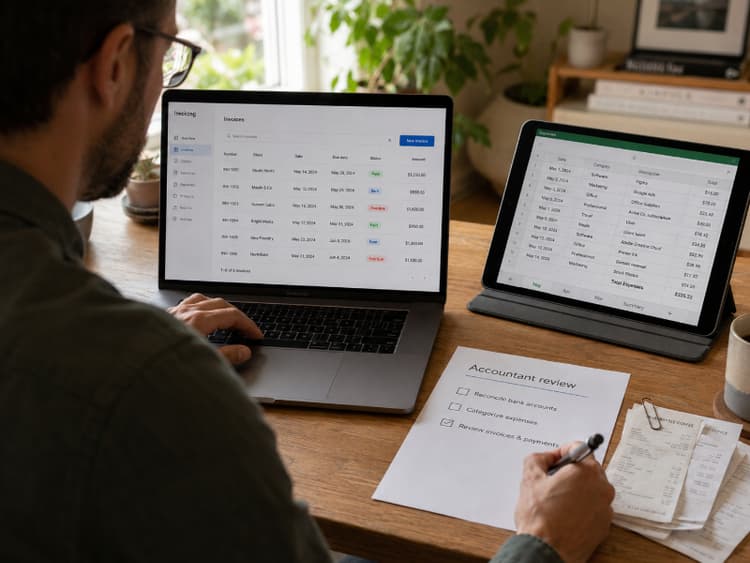
BillerBear is invoicing software. It handles the billing cycle:
- Invoice creation with professional PDF templates (one theme on Free, three on Pro)
- Client management and reusable billing details
- Invoice status tracking (draft, sent, overdue, paid)
- Automated payment reminders
- Recurring invoices (Pro plan)
- Multi-currency support for international clients
- Auto invoice numbering
- Payment links and custom payment instructions (your bank details, PayPal, Wise, or any link you choose)
It does not do expense tracking, bank reconciliation, profit-and-loss reports, or tax filing. That's deliberate. BillerBear handles getting paid without pulling you into an accounting suite you may not need yet.
If you eventually need full books, accounting software handles that layer separately. BillerBear keeps doing the invoicing.
Invoicing without the accounting overhead.
BillerBear handles invoices, reminders, and client management. No expense tracking, no bank feeds, no complexity you don't need yet.
Create a free invoice →Frequently Asked Questions
Do freelancers need accounting software? Many solo freelancers can start with invoicing software plus a simple expense tracker. Accounting software becomes useful when transaction volume, contractor payments, reporting needs, or business structure make manual tracking unreliable.
Can invoicing software replace QuickBooks? A focused invoicing tool can replace QuickBooks for client billing and payment tracking if that's all you need. It does not replace full bookkeeping features like bank reconciliation and financial statements. Many freelancers use a dedicated invoicing tool for client-facing billing and add accounting software later when the books demand it.
Is Wave accounting or invoicing software? Both. Wave's Starter plan ($0) includes unlimited invoicing plus basic accounting with manual transaction entry and financial reports. The Pro plan ($19/month) adds automatic bank transaction imports, receipt scanning, and automated late payment reminders. Wave also monetizes through payment processing fees, payroll services, and add-ons.
Pick the Layer You Need Now
One tool gets you paid. The other tracks your full financial picture.
If your workflow is "send invoice, get paid, hand records to accountant," invoicing software is the right layer. When expenses, contractors, or entity complexity outgrow a spreadsheet, accounting software can fill that gap without requiring you to change how you bill clients.
Still on spreadsheets? See Excel vs. Invoicing Software: When to Make the Switch. Ready to pick an invoicing tool? See 7 Best Free Invoicing Software for Freelancers.
Next: Freelance Cash Flow Forecasting: Plan Your Next 90 Days →
Ready to create clearer invoices?
Create up to 3 invoices per month free. No credit card required.
BillerBear Editorial
Continue reading
Excel vs. Invoicing Software: When Freelancers Should Make the Switch
Spreadsheets work until volume, repeats, or follow-ups expose the cracks. Here's how to tell when manual invoicing costs more than it saves, and what to do next.
Business Bank Account for Freelancers: Do You Need One?
Mixing client payments with personal spending makes reconciliation harder, tax prep slower, and audit trails messier. Here's when freelancers need a business bank account and how to set one up.
Productized Services for Freelancers: How to Price Packages and Invoice Them Clearly
Turn repeat freelance work into fixed packages with clear scope, tiered pricing, and invoices that match what clients bought.