
You sent the invoice. You meant to follow up on the due date. Then a new project landed, the week slipped, and three weeks later you're not just following up. You're carrying the client's delay in your own cash flow.
The problem isn't that you don't care about getting paid. Manual follow-up depends on you remembering, and memory fails when you're deep in client work.
Automated invoice payment reminders fix that gap. They send the right message at the right time without you touching anything. Not every touchpoint belongs in automation, though. Some moments need a personal email. Knowing which is which separates a system that gets you paid from one that annoys your clients.
Before You Automate Anything
Automation amplifies whatever it touches. Clear, complete invoices plus reminders look professional. Messy invoices plus reminders just highlight the mess.
Before you turn anything on, check these basics:
- Due date is explicit. Vague terms like "payment expected promptly" give reminders nothing to anchor to. Use a specific date or standard net terms. For a breakdown, see Invoice Payment Terms Explained.
- Client email is correct. Reminders sent to the wrong inbox are invisible. Confirm the billing contact during onboarding, not after the first bounce. See Freelance Client Onboarding Checklist for the full intake list.
- Payment instructions are on the invoice. A payment link, bank details, or clear instructions. If the client has to email you to ask how to pay, a reminder won't help. For best practices, see How to Create a Professional Invoice.
- Invoice number and amount are accurate. Errors mean correction emails, and those reset the payment clock. See How to Correct an Invoice After Sending It.
Get these right and automation runs clean. Skip them and you'll debug payment delays that have nothing to do with your reminder schedule.
Which Reminders to Automate vs. Send Yourself
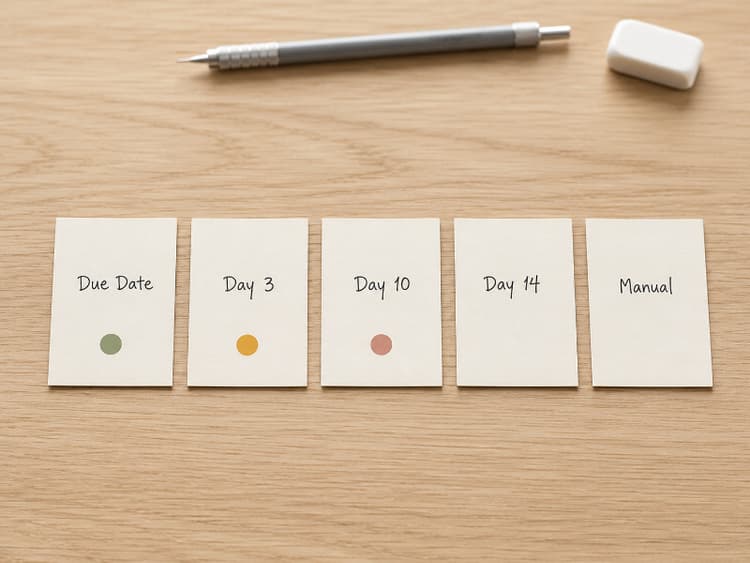
Most guides stop at "turn on reminders." They skip the harder question: which follow-ups should come from you, not a system.
Here's a practical split:
Automate These
- Due-date reminder. Neutral notification that the invoice is due today. Reads like a system message. Clients expect it.
- First overdue nudge (a few days late). Polite, factual reminder with invoice number, amount, and payment link. At this stage, many late payments are simple oversights or process delays. Automation handles this faster and more consistently than you will.
- Second overdue reminder (7–14 days late). Slightly firmer. Still factual. Still automated. Manual follow-up often stalls here because it feels confrontational. Automation removes that friction.
Handle These Yourself
- Pre-due courtesy nudge (2–3 days before due date). Worth it for large invoices or new clients. Overkill for repeat clients with a clean payment history. Send manually when the relationship or amount justifies it.
- Late beyond 14 days with no response. If two automated reminders produced no payment and no reply, you're past "forgot." A personal email or phone call works better. For wording, see How to Politely Ask for Payment. For the full manual timeline, use When to Follow Up on an Invoice.
- High-value or relationship-sensitive clients. Corporate AP teams, long-term retainers, anyone where the relationship outweighs the efficiency gain. A personal note lands better than a system-generated one.
Automate the routine. Intervene when context matters.
Designing Your Reminder Sequence
A good automated sequence escalates gradually, stays factual, and stops before it damages the relationship.
Stage 1: Due Date
Tone: neutral, informational.
Read like a calendar notification. No pressure, no history. Invoice number, amount, due date, payment link.
Stage 2: Short Overdue (3–7 Days)
Tone: friendly, assumes good intent.
Many late payments at this point are accidental. Acknowledge that things get busy. Make payment easy. Include the payment link again. Don't reference previous reminders yet.
Stage 3: Overdue (7–14 Days)
Tone: direct, professional.
Reference the original due date. State how many days overdue. Ask for confirmation of receipt or an expected payment date. Language shifts from "just checking in" to "this needs attention." Still automated, but pointed.
When the Sequence Ends
After the final automated reminder, stop. Do not send system-generated emails every few days. Past a certain point, that reads as spam, not professionalism.
Hand off to manual follow-up from here. If the client still hasn't responded, write a personal email. For wording, see How to Politely Ask for Payment. If that doesn't work either, move to escalation.
👉 Client Won't Pay? An Escalation Plan for Freelancers
👉 How to Write a Demand Letter for an Unpaid Invoice
Set up reminders once. Never chase manually.
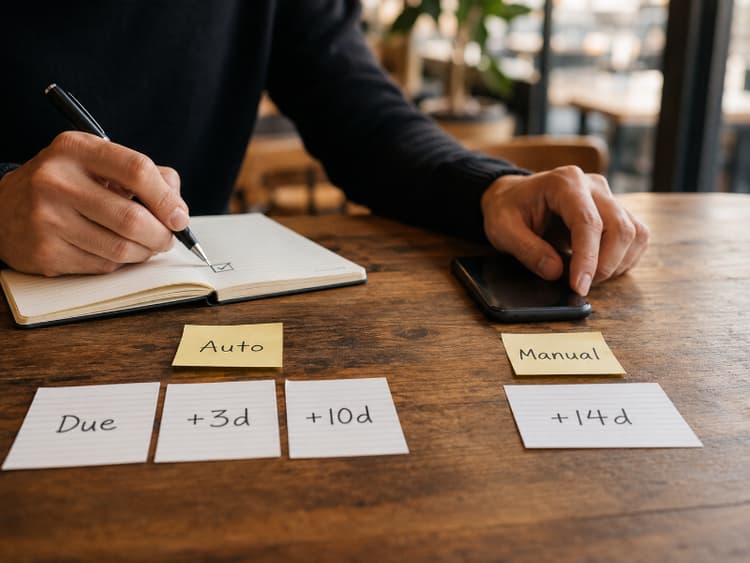
BillerBear sends automated reminders on the due date, 3 days late, and 10 days late.
Create a free invoice →Automated Invoice Reminder Email Templates
Here's copy-paste wording for each stage. Keep these short. The invoice has the details; the reminder just points back to it.
Due Today Reminder
Subject: Invoice #[Number] due today
Hi [Client Name],
This is a reminder that Invoice #[Number] for [amount] is due today.
You can pay here: [Payment Link]
Let me know if you have any questions.
Best, [Your Name]
3 Days Overdue Reminder
Subject: Friendly reminder: Invoice #[Number] (3 days past due)
Hi [Client Name],
I wanted to follow up on Invoice #[Number] for [amount], which was due on [date].
Just making sure this didn't slip through the cracks. You can pay directly here: [Payment Link]
If there's an issue with the invoice, let me know and I'm happy to sort it out.
Best, [Your Name]
10 Days Overdue Reminder
Subject: Following up: Invoice #[Number] – 10 days overdue
Hi [Client Name],
Invoice #[Number] for [amount] is now 10 days past the due date of [date].
Could you let me know when I can expect payment? If anything is preventing payment, I'd like to discuss it.
Payment link: [Payment Link]
Please reply to confirm you received this.
Thanks, [Your Name]
Manual Follow-Up After 14+ Days
This one you write yourself, not through automation. Adjust the tone to the client and the relationship.
Subject: Invoice #[Number] – checking in personally
Hi [Client Name],
I've sent a few reminders about Invoice #[Number] for [amount], originally due [date]. I haven't heard back, so I wanted to reach out directly.
If there's something on your end causing the delay, I'd rather work through it together than let this sit.
Could you let me know where things stand by [specific date]?
Thanks, [Your Name]
For a deeper library of templates covering phone scripts, excuses, and escalation wording, see How to Politely Ask for Payment.
In BillerBear, this sequence is built in: reminders go out on the due date, 3 days overdue, and 10 days overdue. You can turn them on or off per invoice depending on the client relationship. No scheduling, no copy-pasting.
For the broader closeout routine around a final invoice, see Freelance Project Closeout Checklist.
Matching Reminders to Payment Terms
Your reminder schedule should reflect the terms on the invoice.
| Payment terms | Reminder cadence |
|---|---|
| Net 15 | Due date + day 3–5, then manual outreach |
| Net 30 | Due date + day 3–5 + day 10–14 |
| Due on Receipt | Day 1 + day 3–5 |
| Recurring invoices | Same cadence each billing cycle |
Don't assume predictable invoices get paid on autopilot. Recurring clients still delay. Apply the same reminder cadence to each billing cycle. For recurring invoice setup, see Recurring Invoices: How to Set Up Automatic Billing.
Common Mistakes with Automated Reminders
Starting too aggressive. The first reminder should never sound like a demand. Clients who forgot get defensive. Clients already processing payment feel insulted.
No off-switch for good clients. If someone always pays within three days, turn off the automated sequence for their invoices. An "overdue" email to a reliable payer irritates more than it helps.
Automating everything and checking nothing. Glance at outstanding invoices weekly. Automation handles sending. You handle judgment: who needs a personal touch, which invoices need escalation, which silence might hide a dispute. A simple AR review with aging buckets makes this check systematic instead of guesswork. See Accounts Receivable for Freelancers.
Forgetting about the first send. Reminders can't fix a poorly written invoice email or a wrong recipient. Nail the initial send first. See How to Email an Invoice to a Client.
Keep It Simple
You don't need a complex multi-branch automation tree. You need a short sequence that runs every time so late invoices don't disappear while you're doing the work that earned them.
A consistent reminder sequence resolves many overdue invoices before you ever need to write a manual follow-up. The rest need your judgment, not more automation.
Ready to create clearer invoices?
Create up to 3 invoices per month free. No credit card required.
BillerBear Editorial
Continue reading
Client Says They Paid Your Invoice but You Haven't Received It: What to Do Next
When a client insists they've paid but your bank shows nothing, don't argue and don't mark it paid. Here's a verification-first workflow to diagnose the gap and resolve it.
How to Set Up an Invoice Payment Plan That Protects Your Cash Flow
When a client can't pay the full invoice at once, a structured payment plan can recover the revenue. Here's how to decide when a plan makes sense, what to put in writing, and how to invoice each installment.
Net 60 Payment Terms? How to Negotiate Faster Payment as a Freelancer
When a corporate client sends a vendor agreement with Net 45 or Net 60, you don't have to accept it as-is. Counter-offers, scripts, and what AP teams sometimes accept.